
How to Remove a Password from a PDF – Bank Statements, Payslips and More

Bank statements, credit card bills, payslips, insurance policies and tax documents often arrive as password-protected PDFs. That’s good for security — but annoying when you need to open them often, merge them, or upload them to a portal that can’t accept protected files. If you know the password, you can save an unlocked copy in under a minute.
Two kinds of PDF protection
| Type | What you see | How to unlock |
|---|---|---|
| Open password | The PDF asks for a password before showing anything | Type the password you know |
| Permissions only | It opens, but printing, copying or editing is blocked | Unlocks without a password |
How to unlock a PDF
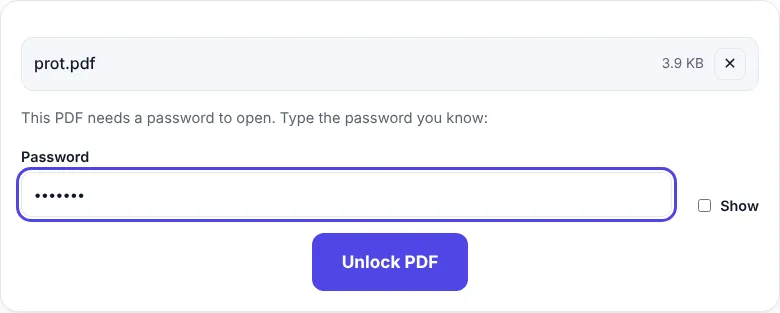
- Open Unlock PDF.
- Choose the protected PDF.
- If it has an open password, type it (tick Show to check typing).
- Click Unlock PDF.
- Click Download PDF — the new copy opens without a password.
If the file only had printing/copying restrictions, they are removed straight away, without asking for a password.
Finding the password for bank and card statements
Banks and card issuers usually explain the password format in the email that came with the statement or on their website. It is often built from details such as part of your name, your date of birth or a customer ID — but every bank uses its own format, so check the email carefully, including capital letters.
When you might need an unlocked copy
- Loan, visa and rental applications – many portals reject protected PDFs.
- Merging statements – combine several months into one file with Merge PDF.
- Making the file smaller – Compress PDF needs an unlocked file.
- Sending to your accountant – so they don’t need your password.
Keep unlocked copies safe
An unlocked statement can be opened by anyone who gets the file. So:
- Store unlocked copies in a private folder, not on shared computers.
- Don’t email unlocked statements unless necessary.
- If you must share one, add your own password with Protect PDF and send the password separately.
- Delete unlocked copies you no longer need.
Is it legal?
Removing a password from your own documents — or files you have permission to use — is fine. Don’t try to unlock documents you aren’t allowed to open or change. ZentaPDF only works when you know the password; it does not crack or guess passwords.
Troubleshooting
| Message | What to do |
|---|---|
| “That password is not correct” | Check capital letters, date format (DDMM vs DDMMYYYY) and the email from your bank |
| PDF opens but can’t be printed | Use Unlock PDF — permission locks are removed without a password |
| File still asks for a password | Make sure you opened the downloaded unlocked copy |
Frequently asked questions
How do I remove the password from a PDF?
Open Unlock PDF, choose the file, type the password you use to open it and click Unlock PDF. Download the unlocked copy.
Can I unlock a PDF without knowing the password?
No. Unlock PDF is for files you own and can open. If a PDF only restricts printing or copying, it unlocks without any password.
What is my bank statement password?
Banks usually explain the password format in the email that came with the statement — often a combination of details such as part of your name, date of birth or customer ID.


