
How to Sign a PDF Without Printing It
Printing a document, signing it with a pen, scanning it and emailing it back takes ten minutes and a printer you may not have. You can do the same thing in under a minute directly on your computer or phone — and the result looks cleaner too.
What you need
- The PDF you need to sign.
- Your signature — you can draw it, type it, or upload a photo of it.
- A web browser. No app, account or printer needed.
How to sign a PDF (step by step)
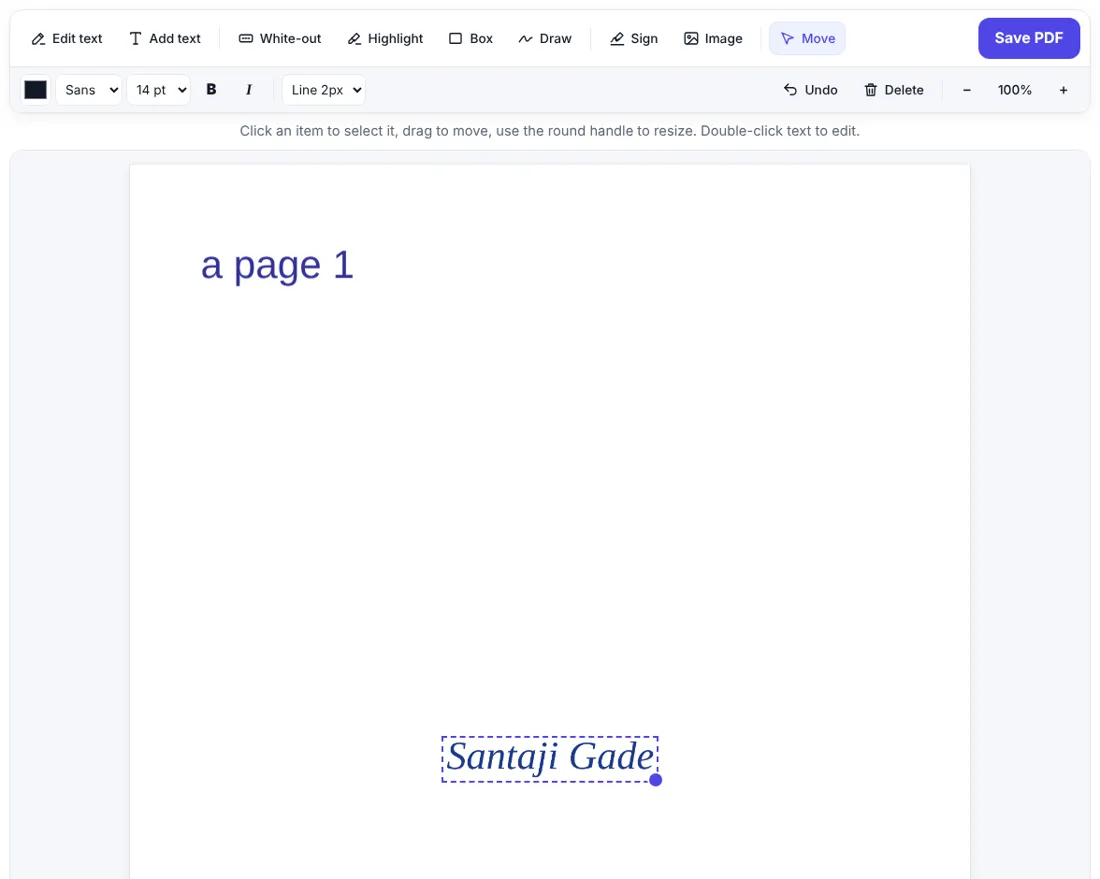
- Open Sign PDF on ZentaPDF and choose your PDF.
- The signature window opens automatically. Pick one way:
- Draw – sign with your mouse, touchpad, finger or stylus.
- Type – type your name and choose a handwriting style.
- Upload – use a photo or scan of your real signature.
- Choose ink colour (blue or black looks most natural) and click Use signature.
- Drag the signature to the signature line and resize it with the round handle.
- Need the date or your name? Click Add text, click on the page and type.
- Click Save PDF, then Download PDF.
Tips for a signature that looks real
- Draw slowly and large. A big signature scaled down looks smoother than a small one.
- Use a stylus or your finger on a phone — it feels most like a pen.
- Upload a clean photo: sign on plain white paper with a dark pen, take the photo in good light, and crop it close to the signature. A PNG with a transparent background looks best.
- Blue ink makes it obvious the document was signed, not photocopied.
Signing on a phone
Open zentapdf.com/sign-pdf/ in Chrome or Safari, choose the PDF from your files or downloads, draw with your finger and place the signature. Zoom in with the + button for accurate placement. When you save, the signed PDF is downloaded to your phone, ready to share on email or WhatsApp.
Make the signature permanent
The signature is drawn onto the page itself, so it cannot simply be clicked and moved by the person you send it to. For extra safety:
- If the PDF is a fillable form, run it through Flatten PDF after signing so the answers can’t be changed.
- To stop others from opening it, add a password with Protect PDF.
Electronic signature vs digital signature
| Electronic signature (this guide) | Digital signature (DSC) | |
|---|---|---|
| What it is | An image of your signature on the page | A cryptographic certificate linked to your identity |
| Cost | Free | Paid certificate from an authority |
| Typical use | Forms, letters, approvals, rental papers, HR documents | Tax filings, company filings, tenders, legal e-filing |
For most everyday paperwork an electronic signature is enough. If an official portal specifically asks for a digital signature certificate, you need that instead.
Signing a PDF that needs several signatures
- Initials on every page? Create the signature once, then click Sign again on each page — or draw your initials as a separate small signature.
- Two people signing? The first person signs and sends the downloaded PDF; the second person opens that file and adds their signature.
- Add a stamp? Upload a photo of your company stamp with Image and place it next to the signature.
Common mistakes
| Mistake | Better |
|---|---|
| Signature too small to read | Make it at least as wide as the signature line |
| Grey, shadowy uploaded signature | Retake the photo in good light, or draw it instead |
| Forgot the date | Use Add text to type it next to the signature |
| Sent an editable form | Use Flatten PDF before sending |
Frequently asked questions
Is an electronic signature on a PDF legally valid?
A simple electronic signature like this is accepted for many everyday documents such as forms, letters and internal approvals. Some contracts and government filings require a certified digital signature (for example with a DSC in India), so check what the receiver needs.
Can I sign a PDF on my phone?
Yes. Open ZentaPDF Sign PDF in your phone browser, draw your signature with your finger, place it on the page and download the signed PDF.
How do I add the date next to my signature?
After placing the signature, choose the Add text tool, click next to the signature and type the date.


